
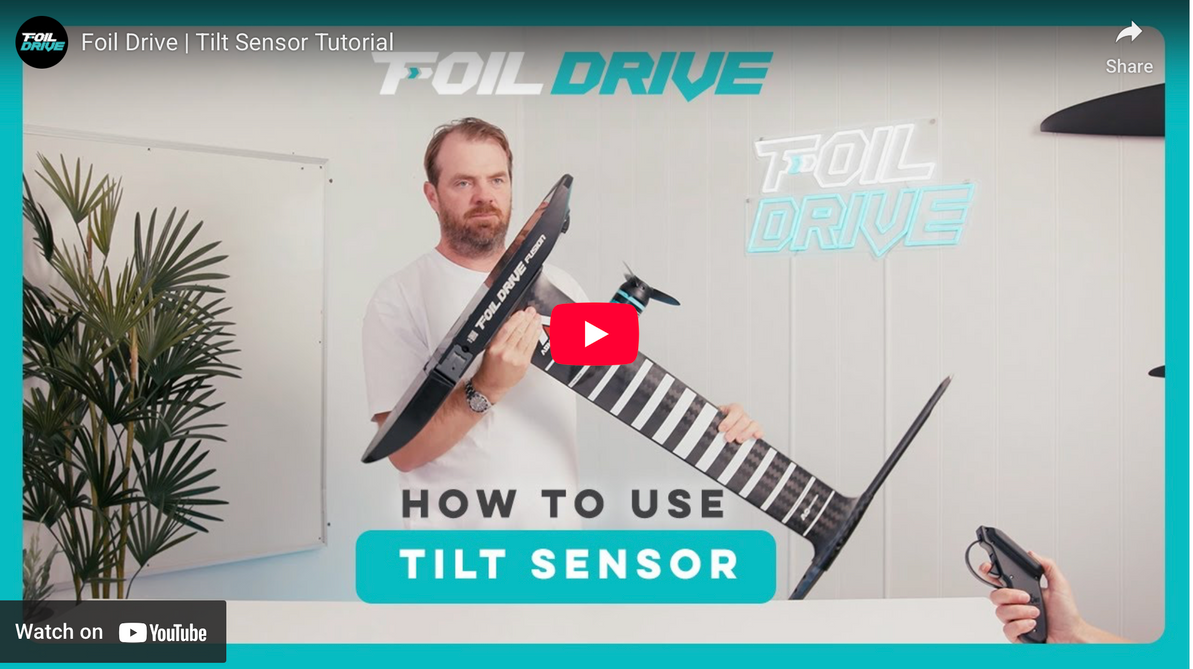
Foil Drive Fusion Gen 2.5 Tilt Sensor Explained
Introduction
With the launch of the Fusion Gen 2.5 system, Foil Drive introduced a refined, powerful safety feature: an integrated tilt sensor. While many riders will never think twice about it once it’s dialed in, the tilt sensor is one of those features that can cause confusion during first setup—especially if you haven’t read the manual or encountered a locked system that “won’t run.”
This article walks through exactly how the Fusion Gen 2.5 tilt sensor works, why it exists, how to unlock and operate your system correctly, and how to tune the sensor for different rider abilities. Whether you’re setting up your own board or configuring a system for a first-time rider, understanding this feature is critical for both safety and performance.
What Is the Tilt Sensor on Fusion Gen 2.5?
At its core, the tilt sensor is a safety cutoff system. It automatically shuts down the motor when the board or drive unit exceeds a user-defined pitch or roll angle.
The goal is simple:
- Prevent the motor from running when the board is upside down
- Shut the motor off instantly if the rider falls
- Reduce the risk of uncontrolled propulsion during crashes or wipeouts
Unlike older systems, which relied mostly on rider input, the Fusion Gen 2.5 tilt sensor uses onboard orientation data to make real-time decisions about whether the motor can run.
Default Tilt Sensor Settings (Out of the Box)
From the factory, the Fusion Gen 2.5 ships with the tilt sensor enabled by default on both the remote and the drive unit.
Default values:
- 30% pitch forward
- 30% pitch backward
- 30% roll left
- 30% roll right
This creates a balanced, conservative safety envelope that works for most riders during initial use. The system constantly monitors orientation, and if the board or unit exceeds those limits, the motor cuts off instantly.
Why Your Fusion Might Be “Locked” on First Use
One of the most common early frustrations with Fusion Gen 2.5 is turning everything on—battery connected, remote powered up—and seeing:
- Connection confirmed
- Battery percentage displayed
- Locked icon still visible
This usually isn’t a malfunction.
What’s actually happening:
If the drive unit is upside down or resting in an orientation outside the allowed tilt range, the system is doing exactly what it’s designed to do—prevent the motor from running.
For example:
- A Fusion unit sitting upside down on a table
- A board flipped bottom-up during setup
- The mast rotated past the programmed roll limit
In all of these cases, the tilt sensor keeps the system locked until orientation returns to an acceptable range.
How to Unlock the Fusion Remote Properly
When throttle lock is enabled, unlocking the system requires two conditions to be met.
Step 1: Unlock the remote
- Press and hold the B button for several seconds
Normally, this unlocks the remote—but if the tilt sensor is active and the unit is out of range, the lock icon will remain.
Step 2: Level the drive unit
Once the Fusion unit is brought back to a level orientation:
- The tilt sensor recognizes safe alignment
- The lock icon disappears
- The system becomes ready to run
This is why riders often think something is wrong when, in reality, the unit simply isn’t level yet.
How the Tilt Sensor Behaves in Real Time
The tilt sensor continuously monitors orientation and responds instantly.
What happens when limits are exceeded:
- Motor cuts immediately
- Lock icon appears
- Throttle input is ignored
What happens when you return to level:
- Lock clears automatically
- System returns to ready state
This applies to:
- Forward pitch
- Backward pitch
- Left roll
- Right roll
If any of those exceed the programmed value, the system shuts down.
Important Safety Behavior: Throttle Reset Requirement
One of the most important (and often misunderstood) behaviors of the tilt sensor is what happens after it trips.
If the motor shuts off due to tilt:
- The motor will not restart just because the board returns to level
- The rider must fully release the throttle
- Throttle must return to zero before the motor can engage again
This prevents accidental re-engagement if a rider is still falling or unstable.
Turning the Tilt Sensor Off (When Needed)
Although the tilt sensor is a valuable safety feature, there are situations where experienced users may want to temporarily disable it—for example, during bench testing or troubleshooting.
How to turn it off using the remote:
- Enter the menu
- Scroll to Menu 7 – Tilt Sensor
- Select Off
- Confirm selection
Once turned off:
- Lock icon disappears
- Motor can run regardless of orientation
This is useful for diagnostics but not recommended for most users during normal riding.
Recommended Board Setup Before Riding
To avoid lock issues at the beach or dock, Foil Drive recommends a consistent setup routine.
Best practice:
- Assemble the board fully
- Place it right-side up
- Rest it on the front wing and tail so the board is level
- Unlock the remote
- Confirm the system reads 0% tilt
- Test throttle briefly
This ensures the IMU and tilt sensor are happy before entering the water.
Programming the Tilt Sensor Using the Foil Drive App
While the remote allows simple on/off control, the Foil Drive app unlocks full customization.
Adjustable parameters:
- Pitch forward angle
- Pitch backward angle
- Roll left angle
- Roll right angle
Each can be set independently, allowing the system to be tailored to rider skill and conditions.
Suggested Tilt Settings by Rider Type
Beginner Riders
For learning environments, tighter limits improve safety.
- Roll: ~20°
- Pitch: ~25–30°
Why it works:
- Motor cuts quickly when balance is lost
- Reduces risk of powered crashes
- Encourages clean body positioning
A beginner exceeding 20° of roll is typically already in a fall, so cutting power is beneficial.
Intermediate Riders
As confidence improves, limits can be relaxed slightly.
- Roll: 25–30°
- Pitch: 30–35°
This allows smoother transitions and fewer nuisance cutoffs while maintaining strong safety margins.
Advanced Riders / Aggressive Use
Experienced riders may want the widest envelope possible.
- Roll: ~40°
- Pitch: ~40°
This is particularly useful for:
- Steep wave takeoffs
- Aggressive carving
- High-angle turns while powered
Advanced riders still benefit from tilt cutoff, but need enough range to avoid unwanted shutdowns.
When the Tilt Sensor Is Most Valuable
The tilt sensor shines in scenarios where unexpected loss of control is most likely.
Key use cases:
- Learning to e-foil
- Teaching first-time riders
- Crowded riding areas
- Dock starts and shallow water launches
- Testing new setups
In these situations, automatic shutdown adds a layer of protection that manual controls alone can’t provide.
Key Takeaways
- The Fusion Gen 2.5 tilt sensor is a built-in safety feature
- It prevents the motor from running outside programmed pitch and roll limits
- The system ships with the tilt sensor enabled at 30% in all directions
- A locked system usually means the unit isn’t level—not a malfunction
- After a tilt cutoff, the throttle must return to zero before restarting
- Settings can be tuned via the Foil Drive app for different riders
- Beginners benefit from tighter roll limits
- Advanced riders can safely widen the operating range
Frequently Asked Questions
Why won’t my Fusion run even though it’s connected?
Most likely, the tilt sensor is active, and the unit is outside the allowed orientation range. Level the board and check the lock icon.
Can I permanently turn off the tilt sensor?
Yes, but it’s not recommended for most riders. It’s best used as an adjustable safety feature rather than removed entirely.
Does the tilt sensor affect performance?
Only if it’s set too conservatively for your riding style. Proper tuning eliminates nuisance cutoffs.
Do pitch and roll need to match?
No. Many riders run tighter roll limits and looser pitch limits, especially for learning.
Conclusion
The Fusion Gen 2.5 tilt sensor is one of those features that quietly does its job—until the moment you need it. Once you understand how it works, why it locks the system, and how to tune it properly, it becomes a powerful safety tool rather than a source of frustration.
Whether you’re setting up a board for a first-time rider or dialing in your own aggressive e-foil setup, taking a few minutes to understand and program the tilt sensor will lead to safer, smoother, and more confident sessions on the water.
If you want help dialing in settings for your specific board, rider weight, or riding style, this is one of those areas where getting it right really matters.

Recent Posts
-

Reedin Wing Foil Package Overview: Built to Learn, Designed to Progress
A Carefully-Crafted Entry Into Wing Foiling If you've been eyeing wing foiling but feel overwhelme …9th Apr 2026 -

Foil Drive's New Props Explained
For a long time, the black prop was just the prop. It came in the kit, it worked, and you rode it. …9th Apr 2026 -

Reedin SuperModel V6 Overview: Lightweight Aerolite Frame Upgrade on a Kite for Anyone
After more than five years on the market, the SuperModel has become the foundation of Reedin's lin …9th Apr 2026