
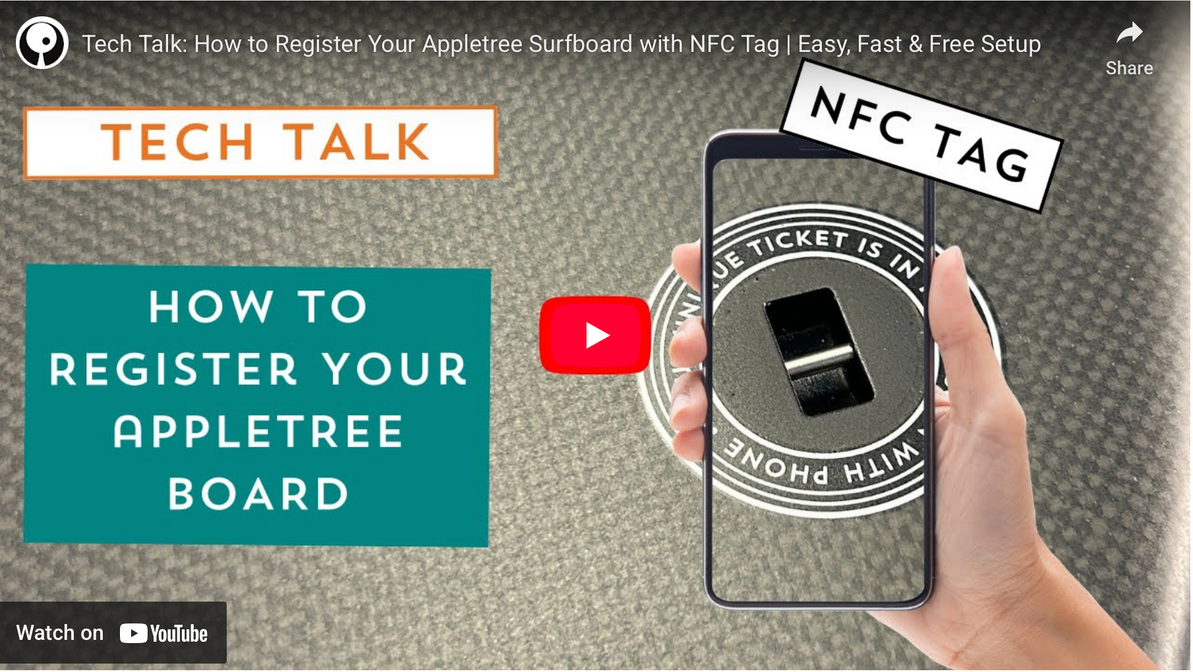
Why Appletree’s NFC Tag Matters for Board Security
Appletree Surfboards continues to lead the way in premium board technology, and one of their most overlooked yet powerful features is the NFC tag embedded directly into every board. Located at the leash plug, this tiny chip connects the physical board to its digital identity—giving riders ownership protection, transferability, and peace of mind.
In a recent update, Mik from Appletree Surfboards reminded riders why scanning and registering their boards is an essential step. Whether you’re kiting, surfing, winging, or foiling, taking a minute to register your new board helps protect it for as long as you own it.
This blog explains how the NFC system works, why it matters, and how to register your Appletree board in just a few simple steps.
What the NFC Tag Does
Every Appletree Surfboard includes a small NFC chip installed inside the leash plug area. Riders will often notice a simple message printed around the plug: “Your unique ticket is in here. Scan with your phone.”
This isn’t just a neat feature—it unlocks:
- Board registration is tied directly to the rightful owner
- Ownership transfers when selling or gifting the board
- Stolen board protection, making resale nearly impossible
- Verification for future buyers, ensuring transparency
- Direct linkage to Appletree’s system for support or warranty needs
It’s essentially a digital passport for your board.
Why Registration Matters
Registering your board is more than a convenience, it’s a powerful security tool. Key Benefits of Registering
Links Your Board to You
Once registered, that serial number and NFC tag become tied to your ownership profile.
Protects Against Theft
If your board is stolen, you can mark it as stolen inside Appletree’s system. Anyone who later scans the tag will immediately see a warning.
Discourages Resale of Stolen Boards
Second-hand buyers can easily verify whether the board is legitimate, making it harder for thieves to profit.
Enables Smooth Transfers
When selling your board, you can release it and transfer the ownership record to the next rider.
A Recent Real-World Example
Mik shared that just last week, a local rider had their board stolen—but they hadn't registered it. Fortunately, Appletree still had the board’s serial number on file, allowing the team to mark it as stolen manually.
If a potential buyer scans that board today, they'll immediately receive a warning that it’s stolen and should not be purchased. It was a lucky save—but a reminder that every rider should register their board as soon as they get it.
Step-by-Step: How to Register Your Appletree Surfboard
Registering takes less than 60 seconds. Here’s the complete process:
1. Locate the NFC Area
- Turn your board over and find the leash plug.
-
Around the plug, you should see the printed text:
“Your unique ticket is in here. Scan with your phone.”
2. Use Your Smartphone’s NFC Scanner
- Unlock your phone.
- Hold the back of your phone directly over the leash plug.
- Keep it steady for a moment.
Most smartphones automatically scan NFC tags without needing an app.
3. Wait for the Notification
- A link will appear on your screen.
- This is the board’s secure digital ticket stored in Appletree’s system.
- Tap the link to continue.
4. Follow the Registration Prompt
- The link will open a webpage prompting you to register your board.
- Enter your details when asked.
- Submit the form to complete the ownership link.
5. Confirm Ownership
Once submitted, the board is now tied to your Appletree account. This registration is what enables:
- Ownership proof
- Transfer ability
- Theft flagging
- Support diagnostics
Optional: Test the Scan Again
- Tap your phone to the leash plug once more.
- You should now see your board’s registered status reflected.
What Happens If Your Board Gets Stolen?
If your board is ever lost or stolen:
- Log in to your Appletree ownership account.
- Mark the board as stolen.
- The system updates the NFC record instantly.
- Anyone scanning the board—including potential buyers—will see a bold warning: “This board has been reported stolen. Do not buy.”
This drastically reduces resale value for thieves—and increases the likelihood that the board will be returned to the rightful owner.
Key Takeaways
- Appletree embeds NFC tags in every board to protect ownership.
- Registering your board secures it to your name and makes transfers effortless.
- Theft protection is built in and highly effective.
- Scanning takes seconds—tap your phone near the leash plug.
- A recent stolen-board case proves how valuable this system is.
- If you get a new Appletree board, register it right away.

Recent Posts
-

Aaron Hadlow Interview: Big Air, Harlem Kites & Kiteboarding Evolution
From 10-Year-Old Beginner to World Champion Rubens: What's up, guys! It's the Brazilian Brothers w …27th Mar 2026 -

Interview with Stig: Big Air, Naish Loyalty & Life Beyond Kiting
Rubens: What's up, guys? It's the Brazilian Bros from MACkiteboarding, and today we've got a very …26th Mar 2026 -

One Board, Every Session | Why We're Stoked on the Omen Emissary
If you've been searching for a single board that can handle light-wind winging, parawinging, prone …25th Mar 2026